Level 1 - Process Scheduler for Data Integrity
-
Check all Modules integrity and Check Integrity - For details on setup, refer to PS Schedule - Data Integrity Action
-
Clear Integrity Logs: This clears old integrity logs. All logs cleared which are older than "x" days - which is entered on the action
-
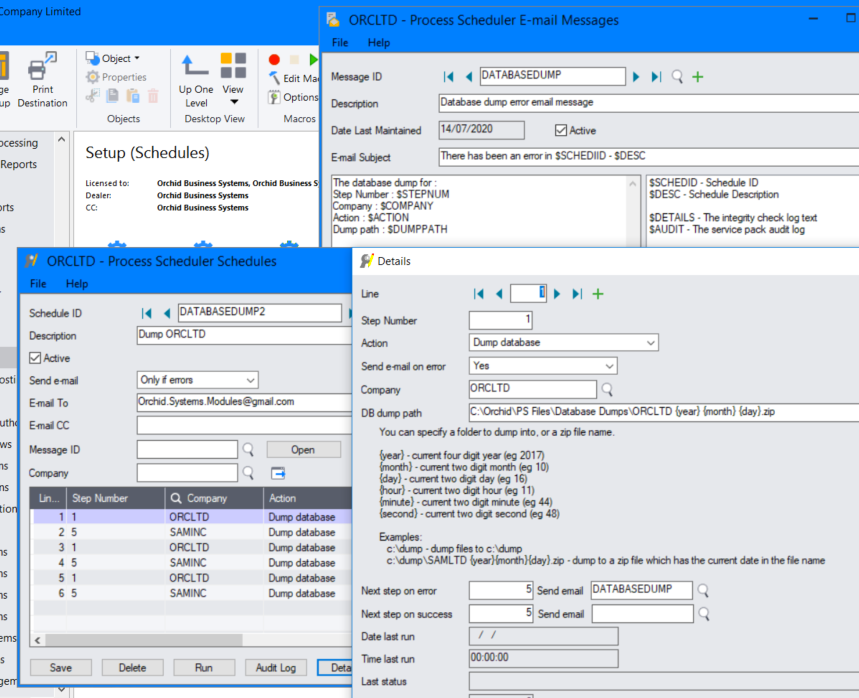
Dump database: Saves a dump of the database in a defined folder.
-
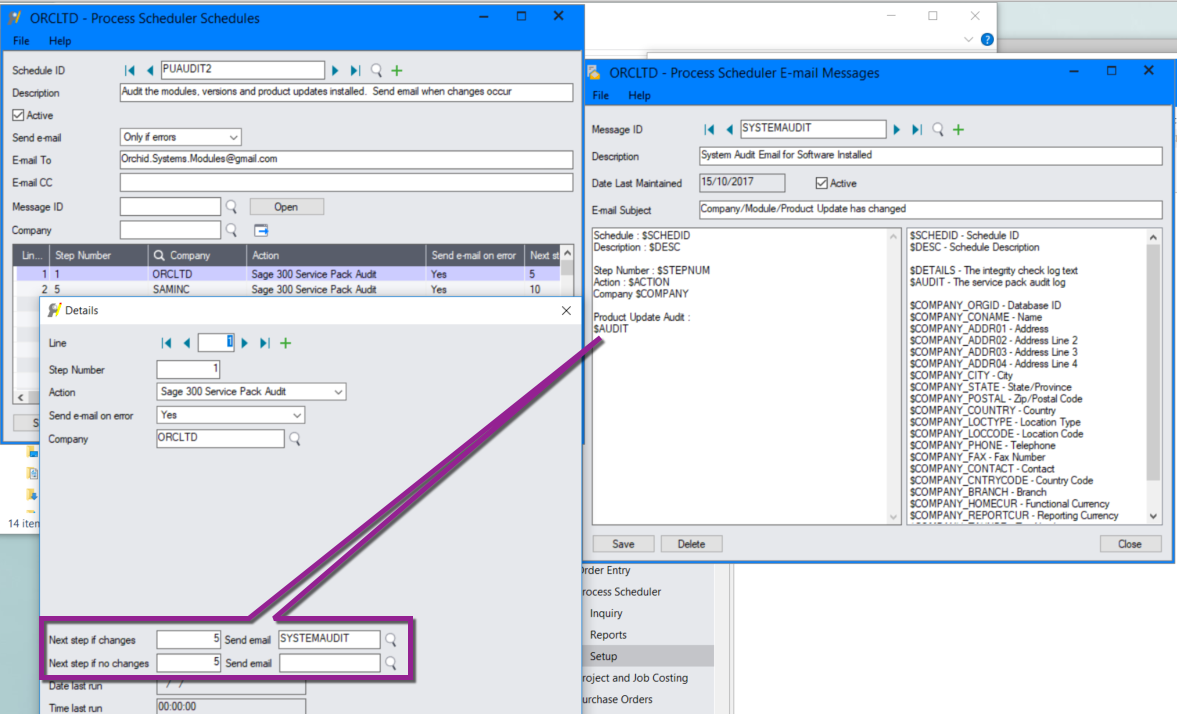
Sage 300 Service Pack Audit: schedule to notify you if the Sage 300 Service Pack changes- Sends a list of all Sage 300 modules and Product updates activated in the database.
Tip: Use "next step on change" to send an email only when any details change.
-
Run Schedule: will run another Process Scheduler Schedule.
Tip: Use this option to create a schedule in Task Scheduler that will run multiple Process Scheduler Schedules at the same time. This lets you configure only one task in Windows Task Scheduler.
-
Send Email: Add this action as Step Number 1 to send an email when the schedule starts running.
-
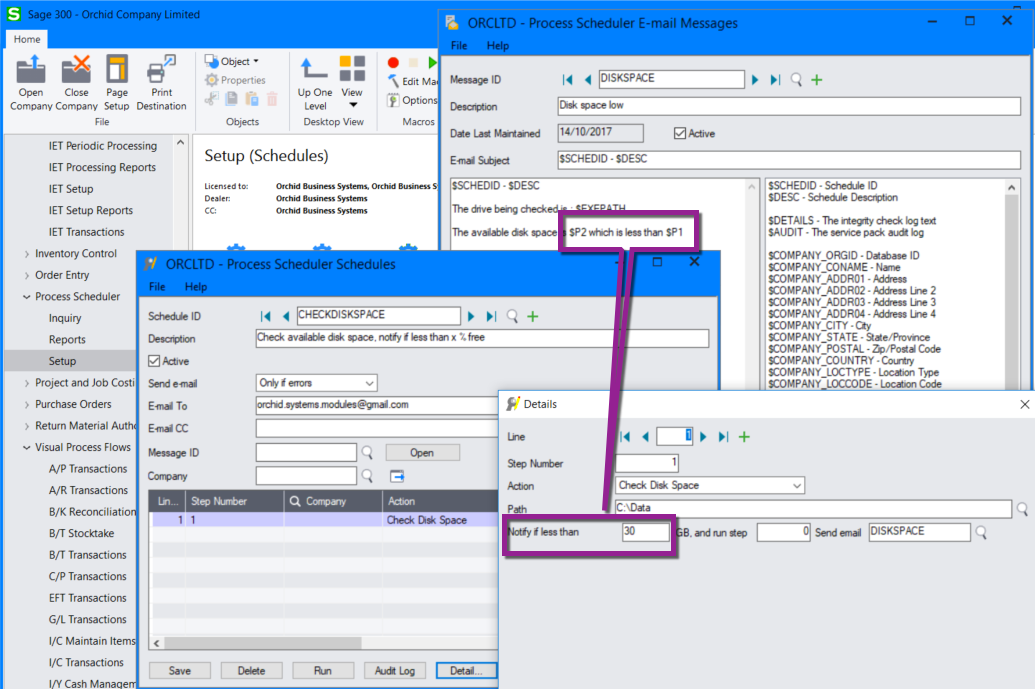
Check Disk space: enter the file path and the available disk space and the email template.
If the available disk space is less than the configured value when the schedule is run, an email is sent.
Requirement! The following actions require other Orchid modules
Refer to the linked topics for detailed steps to configure those actions.
-
Run Extender Script in Process Scheduler - *** Requires Orchid Extender
-
Refresh Information Manager Cube (deprecated - Use this action if you want to schedule a refresh of an Information Manager Cube (.cub) file. Information Manager Cubes (.cub) are used with the Information Manager V5.4 cube viewer.)
-
Refresh and Distribute Info-Explorer Cube automatically *** Requires Orchid Info Explorer
-
Schedule I/M Report Runner (PS Level 1) *** requires Orchid Information Manager Report Runner