New columns on EFT AR Payment screens (March 2026)
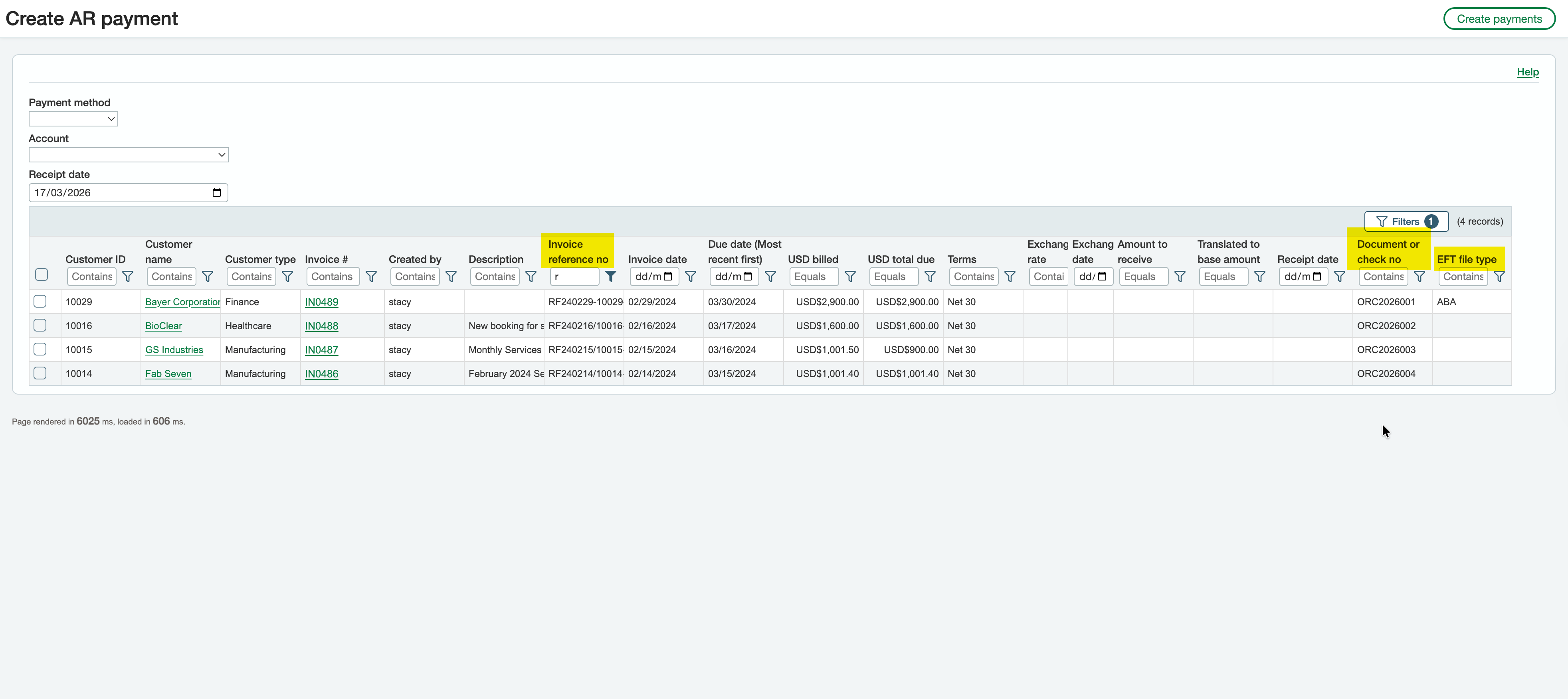
New columns are added in EFT AR Payment Requests and Create AR Payments screens. Filtering and checking records is now easier. This is part of ongoing usability improvements.
EFT AR Payment requests
The AR Payment request screen now includes the AR Payment reference (Document or Check No).
Create AR Payments
-
Displays the AR Invoice description and reference. The fields can be used to filter records to include in the AR Payments
-
Displays the customer file format configured on the Orchid EFT tab. The field can also be used to filter records.
-
Reference field can be populated for each payment. If entered, the AR Payment reference will be saved as the Document/Check No for the AR Payment created and will be displayed on the EFT AR Payment Request screen.