You enter the EFT Details for vendors you want to pay by EFT on the Orchid EFT Tab in the Accounts Payable > Vendors menu.
Refer to Configure EFT Vendor Details.
Editing values
Select a Vendor and choose Edit to add or change details. If you cannot enter values in the fields, check the security permissions and ensure that you are "Editing" the vendor, not just Viewing it.
Below are some special scenarios:
Vendor and Pay-To details
You cannot include the Pay To details in the EFT File.
EFT Processing uses the Vendor on the invoice, not the Pay To on the invoice for the EFT Payments. And it uses the EFT Details configured on the AP Vendor record.
Multiple bank accounts for a single vendor
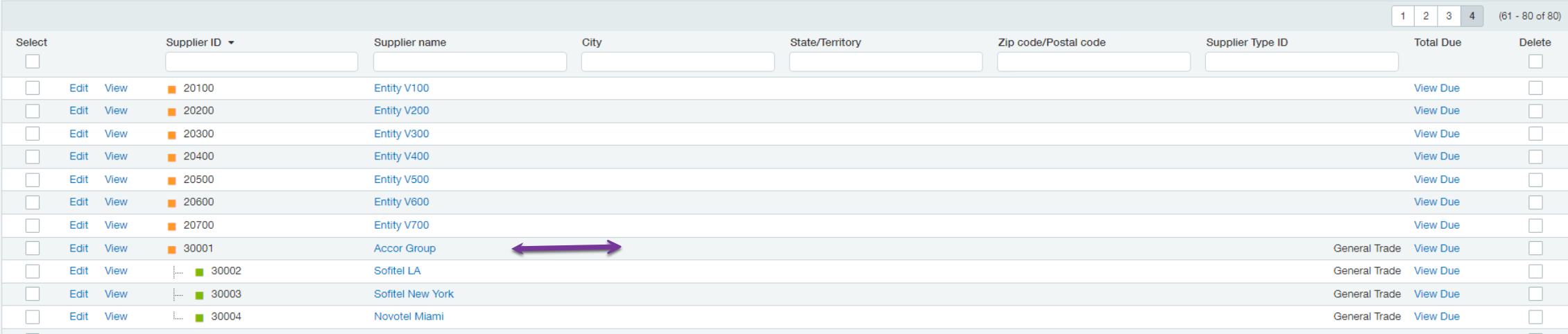
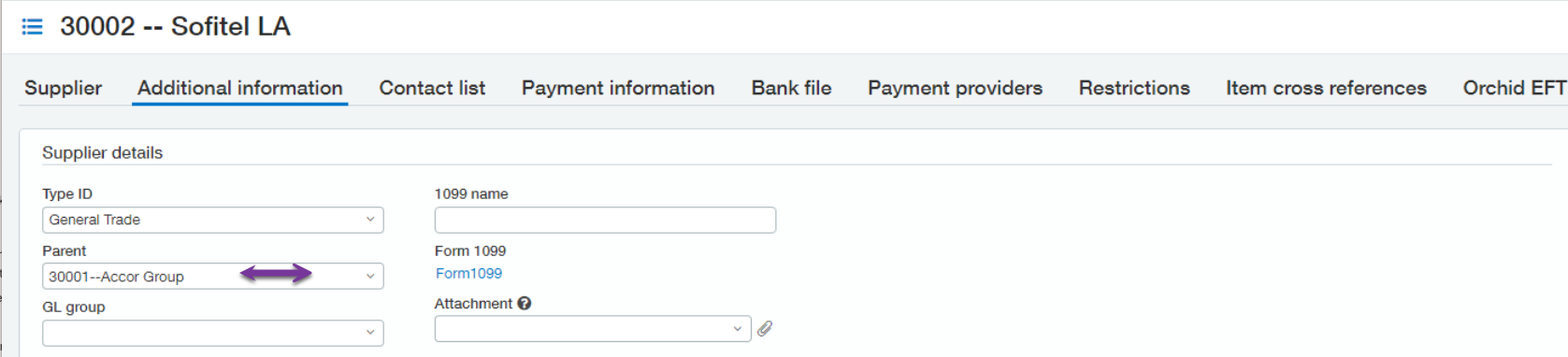
If a vendor has multiple bank accounts, you need to have different vendor codes for the different vendor bank accounts as there is no way on the payment to indicate which bank details to use. You can group the vendors using the Parent feature on the AP Vendor --> Additional Information Tab
Paying some vendors by EFT and some by cheque
Suggested configuration:
-
Set the Vendor's preferred payment method to Record Transfer for vendors paid by EFT
-
Set the Vendor's preferred payment method to Check for vendors paid by Check
-
Do separate payment runs to select vendors by preferred payment method. You can use Advance Filters on the Pay Bills AP screen.
-
Print the checks for all Check vendors
-
Generate an EFT File for all EFT Vendors
-
-
If a vendor is not configured for EFT (no EFT File Type on the AP Vendor > Orchid EFT Tab), the vendor will not show on the EFT Payment request.
What payments are included in the Payment Request screen?
You can select what payment methods to show on the Payment Request screen in the EFT Bank setup screen.
If a vendor is configured with an EFT File Format on the Orchid EFT Tab, completed payments for that vendor will appear on the EFT Payment Request screen if the payment method is selected in the EFT Bank setup.
For details, refer to: Selecting Payment Method
Note: If you cannot see a payment on the EFT Payment Request screen, check the filters and check that the payment method on the AP Payment is selected for the bank and format record in EFT bank.
Licence Required
Requirement! You only see the Orchid EFT Tab for Vendor if you have a Licence for EFT Processing AP