Users cannot view all Employee Payments
If you cannot see all the payments you expect to see, the most common reason is that the filter on the screen is hiding the payments you are looking for.
By default, the screen displays only payments due in the last month. To view older payments, change the filter.
Filtering records in EFT Processing
How to add a payment to the Employee Expenses Payment Request screen?
If you have checked and cleared the filters:
If payments do not appear on the EE Payment Request screen, and you have cleared and checked the filters, check the Employee's Orchid EFT tab and EFT bank records
-
Is the EE Payment approved and completed in Sage Intacct?
-
Is there an EFT Bank record of type payment for the bank used in the payment and the EFT file format configured on the Employee's Orchid EFT Tab ?
-
Is the payment method enabled for EFT Processing on the EFT Bank record?
-
Is the EFT File Format set on the Orchid EFT Tab for the Employee?
Note: Employee Advances cannot be included in the Employee Payment Request as they are not available in the API.
Permission Error
When you click “Generate” you may get the following error message:
Error: You do not have permission for API operation READ_BY_QUERY on objects of type company
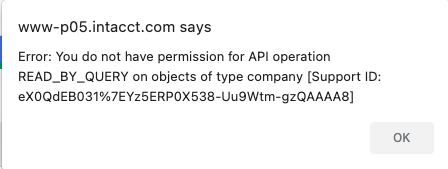
If the format file uses any Company fields (e.g. Company.Name, Company.Address1 etc), then you must Generate the EFT File from the Top Level to have access to the Company object. Or the format file needs to be amended to put the Company fields on the appropriate entity object that you do have access to.
Recreating a File
If you have already included a payment in an EFT File and have confirmed the file, you need to delete the file or reverse and reprocess the payment to include the payment again in another file.
If the file is not confirmed, you can Hold the file, update the details and Refresh the file.
Licence Requirement
Requirement! To generate and download an EFT File for Employee Expense Payments, you need a Licence for Orchid EFT for EE.
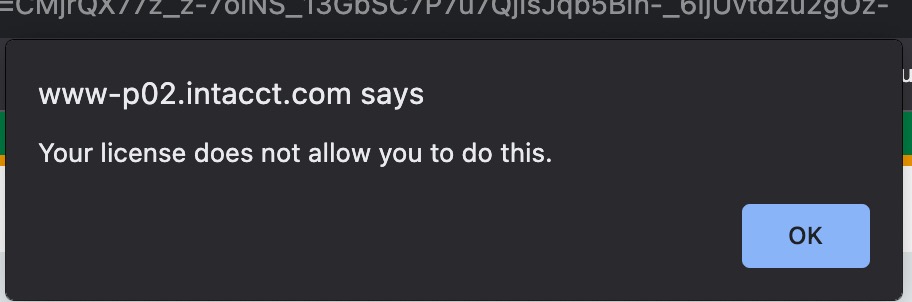
If you don't have the relevant activation code, you get an error message:
Your Licence does not allow you to do this.
Refer to :