G/L Create New Year
G/L Create New Year runs the General Ledger Periodic Processing to Create new year.
When to use
At the end of a fiscal year, you use the G/L Create New Year screen to create and post a batch of transactions to close income and expense accounts and enter the opening account balances for the new fiscal year.
Tip: Before you run this process, you need to open the open the year in the fiscal calendar and ensure the closing period is not locked.
How to use
You create a schedule to run the action in all the required Sage 300 companies.
Before you run the schedule,
-
Create a fiscal calendar for the next year. You can use the Process Scheduler Level 3 action to create the new year in Common Services.
-
Ensure that the closing period for the current year is not locked.
Exclusive access to the database
requires exclusive access to the database.
To run the Schedule in the P/S Schedules screen, ensure that all users are logged out of the companies where you run the process. This includes closing the Information Manager Tray if configured.
You can run the schedule in the P/S Schedules screen or use Windows Task Scheduler to run after hours.
Run the schedule for the company where Process Scheduler is activated
If you need to run the process in the main company where Process Scheduler is activated, you have to run the schedule in Windows Task Scheduler.
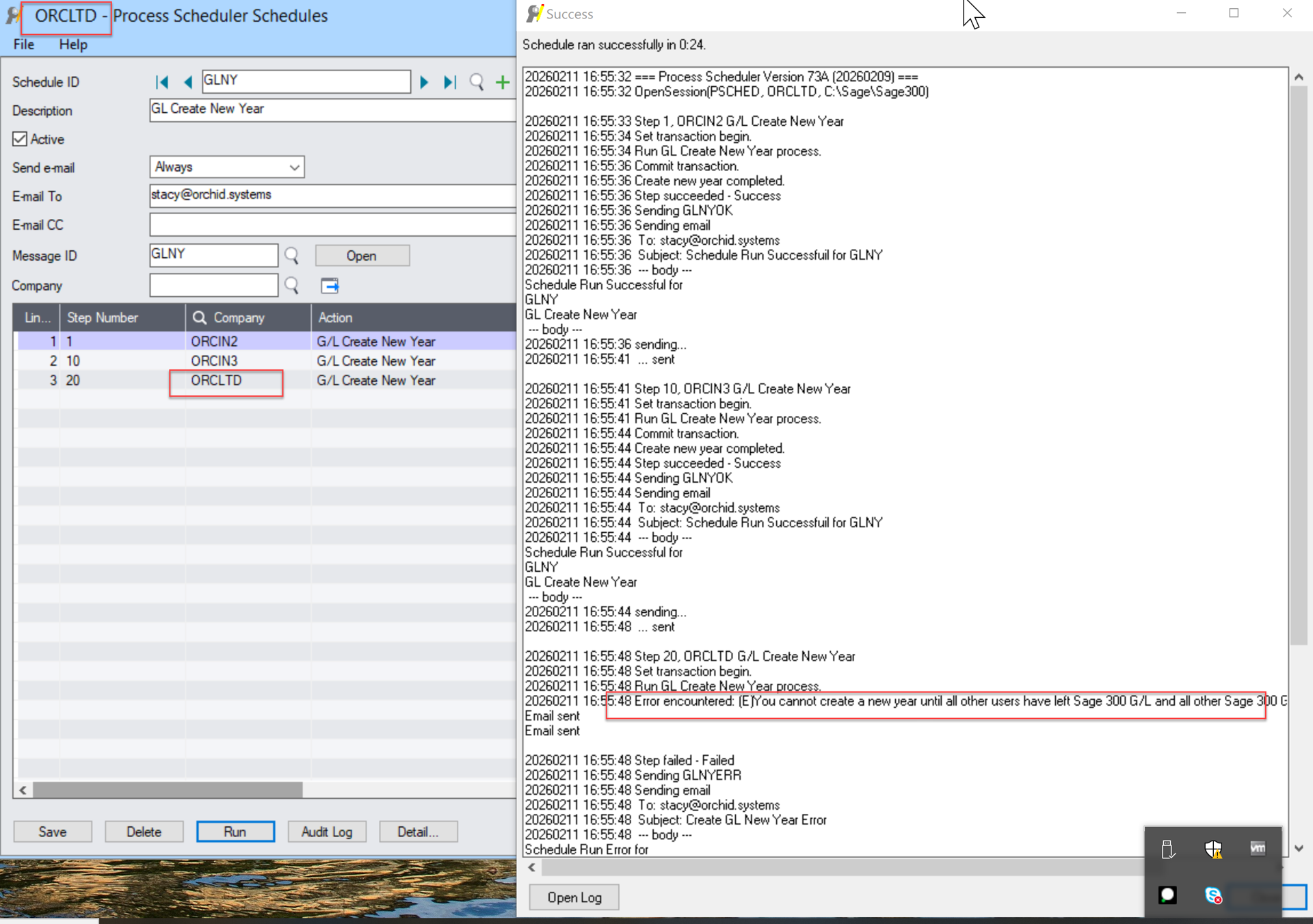
If you run the schedule in the P/S Schedules screen to create new year in the company where P/S is activated, you will get the following error:
You cannot create a new year until all other users have left Sage 300 G/L.