General Scripts Tips
Indentation
Where in other programming languages the indentation in code is for readability only, the indentation in Python is very important. Python uses indentation to indicate a block of code.
On the Python style guide PEP 8 -- Style Guide for Python Code | Python.org that the recommended method is space, but when researching indentation in Python community, there seems to be a perpetual debate. The only sure thing is that you cannot mix and match TABS and SPACES in the same scripts.
Mixed indentation generally causes issues in Python. In many cases, you will get an error running the script or opening the screen for a OCX subclass script.
Tip: Many Orchid sample scripts use TAB, check your text editor settings when using Orchid samples.
Editor's Preferences
If you are using Notepad, you cannot really see the characters. We suggest you use Notepad++ for editing script.
You can display non visible characters in Notepad ++, but just in case, this is useful.
-
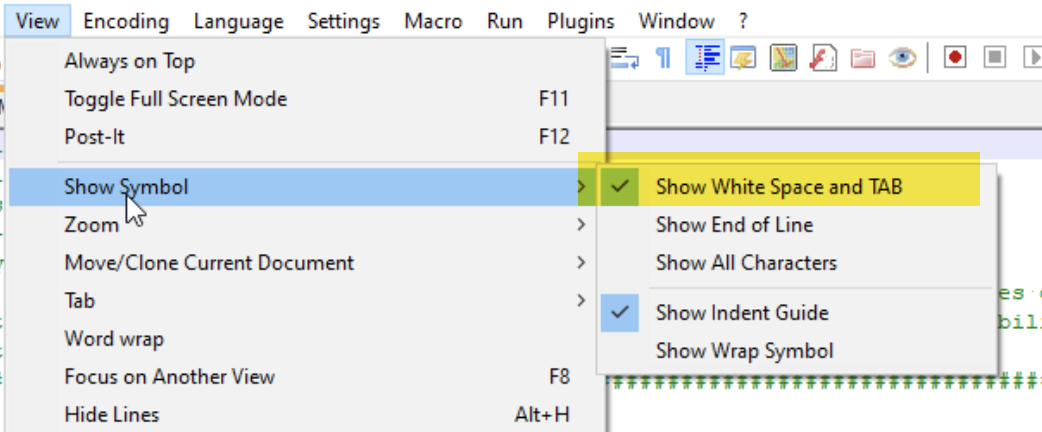
If you are using Notepad++, you can go to the menu, select VIEW.
-
Then select SHOW SYMBOL.
-
Then select SHOW WHITESPACE AND TAB.
Notepad++ will then show you the spaces and tabs in your script source file.
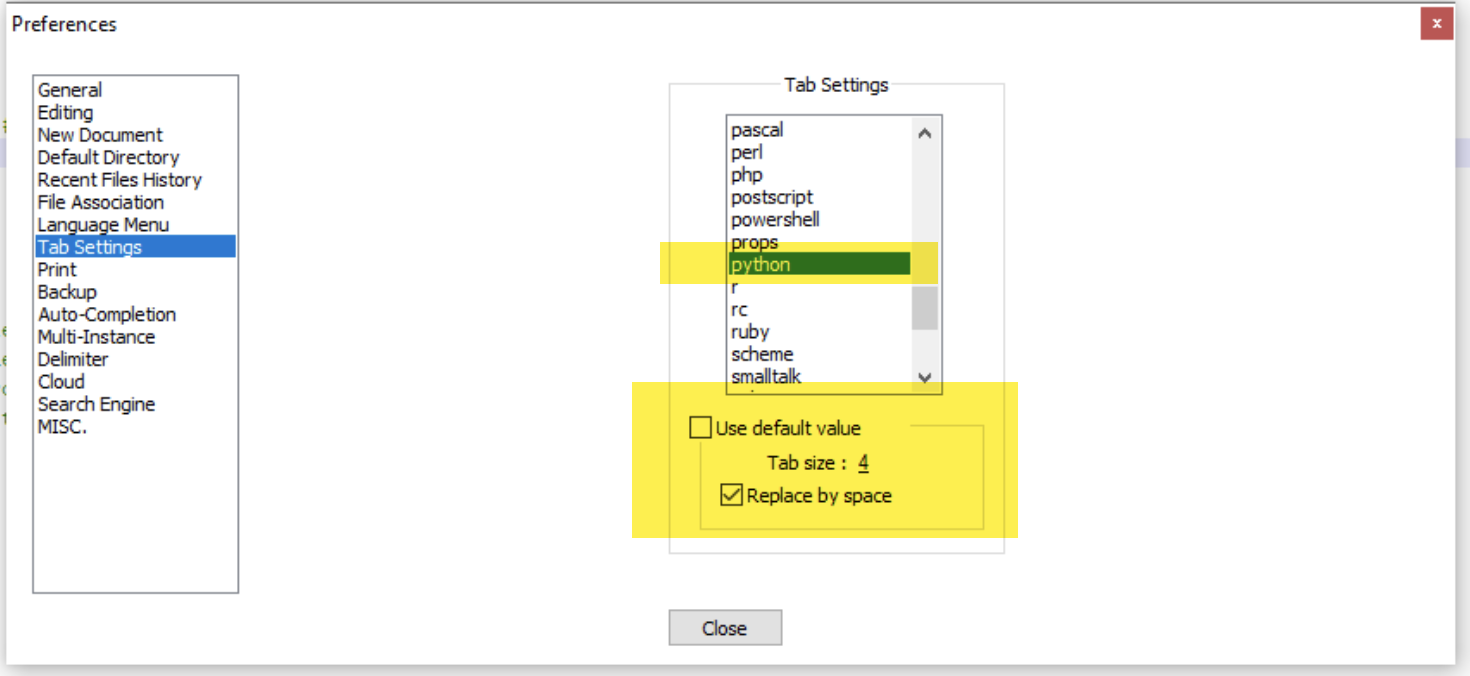
Tab settings
In Notepad ++, you can change the settings > Preferences > Tab Settings, and set the Tab size to 4 spaces.
Probably also possible in other editors.
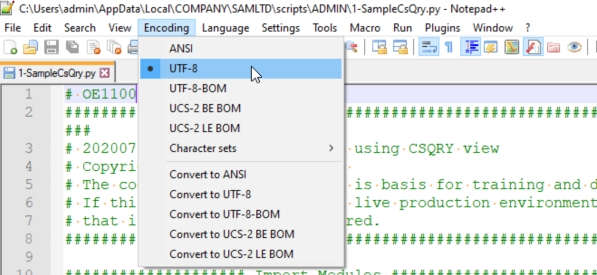
File Encoding
File encoding should be set to UTF-8
In some cases, for example if you copy and paste comments from a Word document, you may end up with some invalid characters in a script. When a script doesn't run or you are receiving unexpected errors, check the file encoding.
File naming
Scripts should not start with VI, the 2-letter code of Extender.