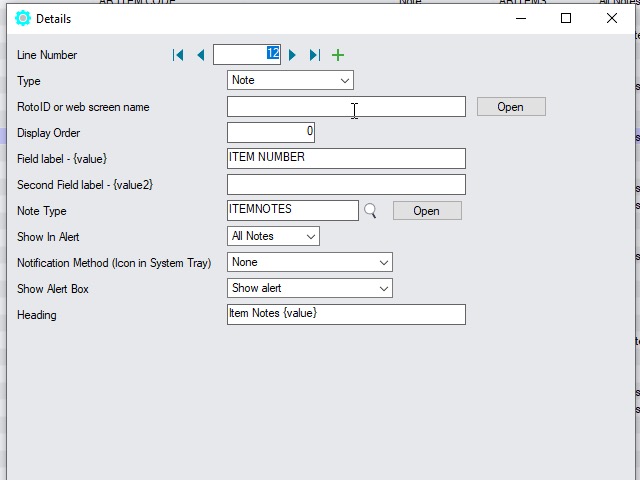
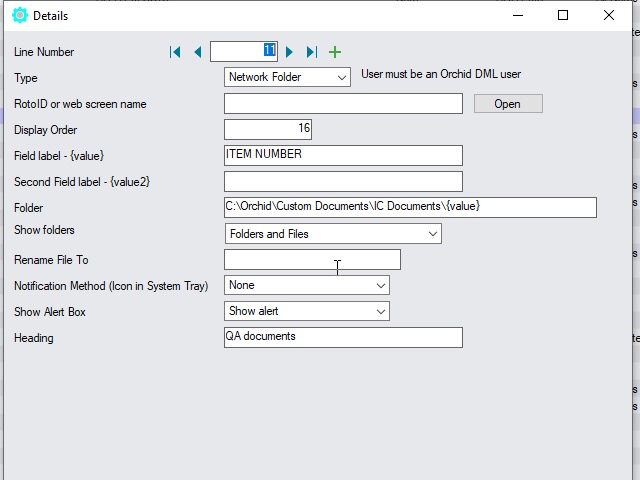
I/C Item note example on the Desktop Screens
Users want to add Item notes to various Sage 300 Inventory items and view them on the I/C , P/O and O/E Desktop Screens.
I/C Item note Desktop examples
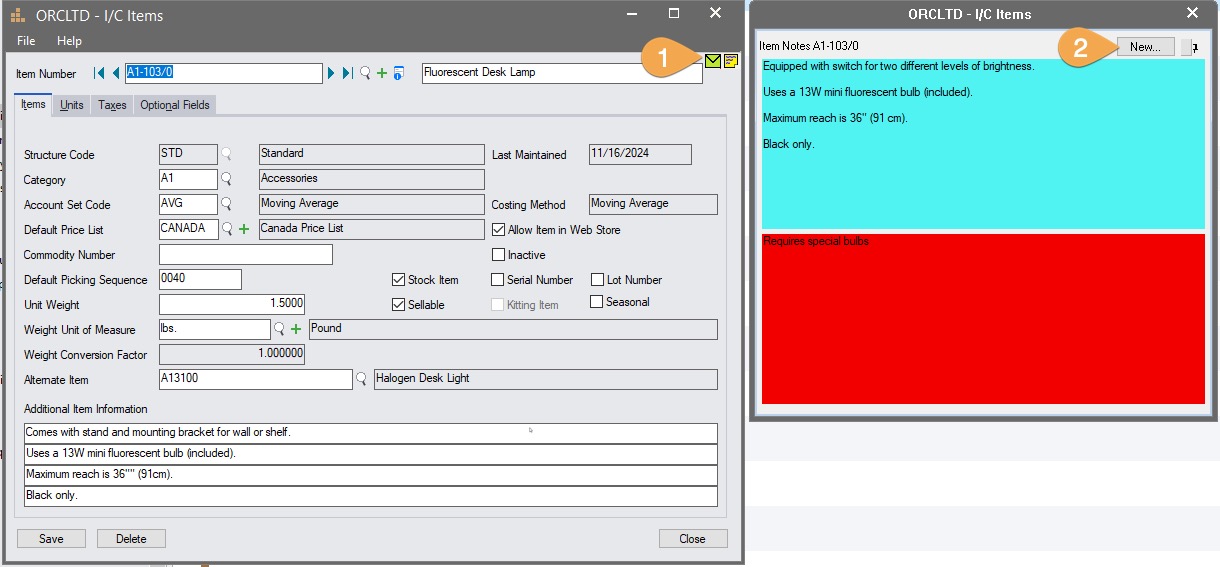
In Inventory Control>I/C Items and Price Lists>Items, select Item Number: A1-103/0: Fluorescent Desk Lamp
You will see 2 notes, with different background color.
Click the New button to add a new note for item A1-103/0
I/C Item Note on the P/O Screen
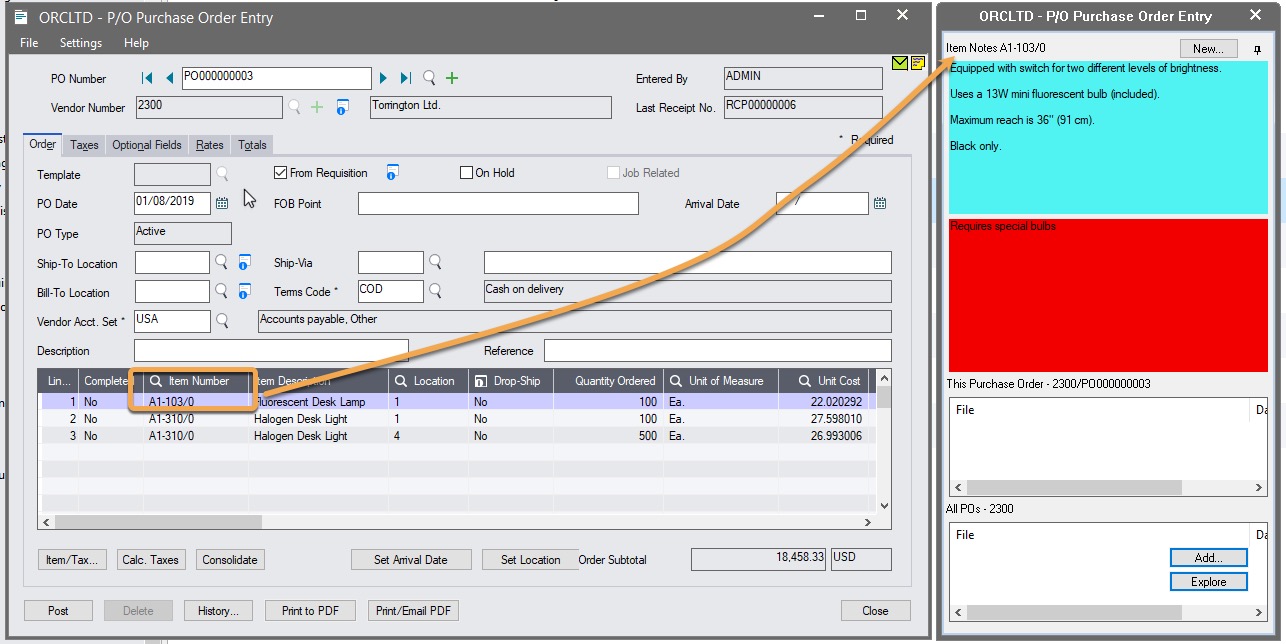
In the P/O Purchase Order screen, open PO0003 or create a new PO with item A1/103-0.
Note the item notes are displayed in the tray.
You can demonstrate other similar examples:
-
Add /View an O/E Order for item A1-103/0 and see the Item notes.
You will only see this note when the field label is ITEM NUMBER or ITEM NO./MISC. CHARGE
Configuration for DML and Notes for I/C Items
The RotoID field is blank. The Notes and Documents are displayed on all screens where there is a field label